
Website Design and Digital Marketing

I have more than 15 years working in the business of website design in Tullamore County Offaly. Because of also having clients for my website design in Kildare, Laois, Westmeath and Dublin, I have experience in providing website solutions to business’s in most industries.
Been a one man business, all clients deal with me alone. Clients can be assured that their website design or digital marketing needs will not be passed onto some junior member of staff but I personally deal with all the business needs of my clients.
Affordable solutions is always my target and my aim is to have a long term working relationship with my clients.
Website design, performing at its full potential and getting real results with great value for our clients, is what I strive to.
Some of our Website Features
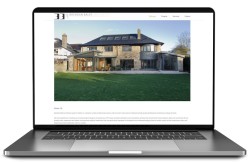
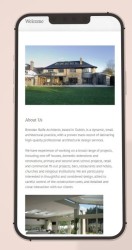
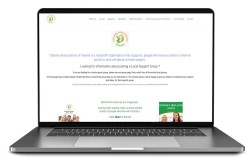
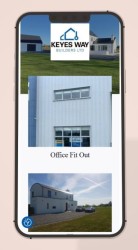
Some Samples Of Our Website Design.


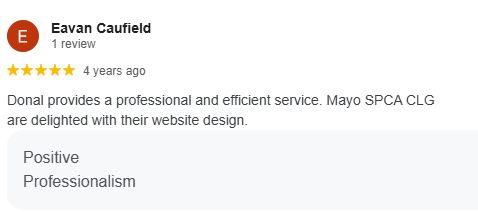
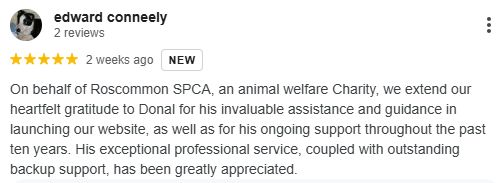
Testimonials







Extra Digital Services We Supply
Latest How To Video’s

How to write post and pages in WordPress 5.9 up
Step by step guide on how to write a post and page in WordPress 5.9. Included in the video is how to upload images, [...]

How to tell what version of Google Chrome is on your computer
How to tell what version of Google Chrome is on your computer. Click on the three dots, normally top right. Scroll down to settings [...]

PayPal 2 step verification
PayPal have a two part login system, known as 2-step verification, which if you have not got it activated you should. Some people who [...]

How to view saved passwords on Chrome
Have you ever lost your passwords or forgot a password. Sometimes, with your permission, Google will keep a record of them. This is how [...]
Contact Us
Address; Tullamore, County Offaly, Ireland.
Phone; 083 4213871
Our Development Process
Meet
Design
Approve
Make
SEO